April 27, 2026
Using an ESP32 to generate and stream pixels fast enough to some display is going to be a challenge. I am really not sure whether it can act as the Amstrad CPC gate array. If it can't, it's game over for our little friend and we'll have to look for other solutions.
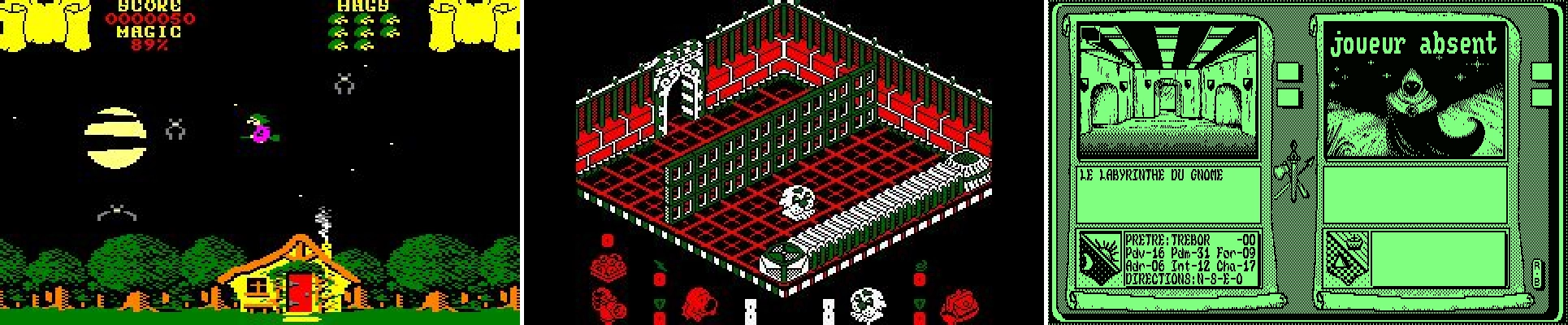
Like any computer problem, let's start by looking at the data. What do we need to stream? The Amstrad CPC has 3 official modes:
All three modes have the exact same amount of data: 16,000 bytes. Since the CPC is a European machine from the late 80s, it has a refresh rate of 50 Hz, meaning each frame will last 20 ms. These pixels are indexed, meaning that each value it holds is not the color itself, but the index of the color in a palette. The CPC has a palette of 27 colors. Each color component has 3 levels: on, half-on, and off. We have 3 components (red, green, and blue), and 3 components with 3 different levels is 27 combinations.
Today we are all running at 60 Hz, with 16.66 ms frames. I am not completely decided on which frame rate we'll be using, so let's aim for the worst case scenario. If we can hit that 16.66 ms target and end up running at 50 Hz, the components that generate the frames will get to rest for at least 3.33 ms per frame. Lucky chips!
The computer will somehow store a picture in RAM every frame. Our focus here is to make the ESP32 grab the 16,000 bytes that make up this picture and send them over to a display device in 16.66 ms before the next frame is ready. Let's find out if it will live up to our expectations!
Also, we need a display device to display the picture we're sending.
I've tried a couple of approaches, more or less successfully. But first, a disclaimer: I have long moved on to the next chapter by the time I am writing this article. And not being very organized, I have not kept most of the code I wrote during these exploratory phases.
Generating a VGA signal seems like a reasonable trade off between complexity and connectivity. I want to use a connection that is widely available (ideally my everyday computer monitor), but not too complex (generating an HDMI signal for example is pretty involved). VGA looks like a good compromise.
What's tricky with a VGA signal is the timing. The closest resolution that VGA offers seems to be 640 x 400 at 60 Hz. If we look at the mode 1, the one with a square pixel ration, it is 320 x 200. The resolution of 640 x 400 has the exact same ratio and the final picture will look just like the original. We just need to double up each CPC pixel horizontally and vertically to use up 2 x 2 VGA pixels.
The rabbit hole to figure out the precise timing is deep! All the VGA signal timings used to be found on TinyVGA, but sadly it shutdown. Other websites, like MicroVGA, have taken over. They don't have the exact resolution we need though and the closest is 640 x 400 at 70 Hz. Even though it is not quite what we want, it gives us a pretty good idea of how tight our timing needs to be. The pixel clock is 25.175 MHz, which means we have about 39.72 µs to send each pixel. After each line, we need to send a horizontal sync pulse for 3.81 µs. Once all the lines have been drawn, we need to send a vertical sync pulse for 63.55 µs.
To respect these timings we have a couple of options:
But as I was contemplating my options, I stumbled upon FabGL, a library for the ESP32 specifically designed for this purpose. This library does a lot of things, including emulating a Z80 on an ESP32. But we don't want to do that, we want to build it like it's 1989! We can definitely use it to generate the VGA signal for us though.
This all look very promising, but there is one issue: as crazy as it sounds, I do not have a VGA cable laying around! It is even crazier with my tendancy of hoarding weird cables "just in case". So until I get one, let's look into other solutions!
What I do have is an Android phone and USB cables. I can connect the phone to the ESP32 with a USB cable and probably have them exchange data over that cable. They are both USB-C, it should be fast, so let's go!
We are going to need two things here:
Using USB turned out to be a struggle. It is surprisingly slow. In theory the ESP32 could output 960,000 bytes per second, but in practice I couldn't do it. The setup was also very tedious. My ESP32 board only has one USB port with 2 internal connections. It is used to upload the program from my computer to the ESP32 but also to output serial data (mostly for print debug). Using it also to send data to the phone forces me to constantly unplug and replug the cable and that got old really fast!
Unfortunately I have no trace of this failed attempt.
Something else both the Android and ESP32 have in common is Bluetooth. The phone can send high quality (-ish) audio to my headphones, surely it can send pixelated pictures of an computer from the 80s, right? Wrong! The ESP32 bluetooth is actually a BLE, which stands for Bluetooth Low Energy. It is not that fast. Pairing devices is an also incredibly annoying process.
Here again, no trace of this poor attempt. On to the next solution!
I've started the Wi-Fi with not much hope after so many failures. I kind of tried just out of curiosity. But as it turned out, setting up the ESP as a server over the Wi-Fi was suprisingly easy! Even giving the ESP32 a hostname over the local network is a piece of cake.
At first, I tried the TCP approach. But its reliability comes at a cost. It is slow! Packets need to be acknowledged, resent when not received and arrive in the same order they were sent. Sending one frame was taking more than 50 ms, which is way beyond our budget of 16 ms to sent 60 per second.
UDP is a much faster protocol. No hand shaking, acknowledgement, or retrying when a packet doesn't make it... none of that! As soon as a data packet is sent, we forget about it and move on to the next. Will the client get the package? Who cares! Just hope for the best! Not waiting around allows us to send one frame in about 11 ms. Perfect for our needs!
So UDP is our guy! Let's write the code to make our little ESP32 send data over the network. First things first, let's set it up to be a TCP server (just to get a hostname with mDNS) and a UDP server.
#include <Arduino.h>
#include <ESPmDNS.h>
#include <WiFi.h>
#include <WiFiUdp.h>

const char* ssid = "my_awesome_wifi_name";
const char* passphrase = "my_top_secure_wifi_password";
const char* hostname = "esp32";
const int tcp_port = 1999;
const int udp_port = 2000;

WiFiServer tcp_server;
WiFiUDP udp_server;

void setup()
{
    Serial.begin(115200);

    Serial.print("Connecting to Wi-Fi");
    WiFi.begin(ssid, passphrase);
    while (WiFi.status() != WL_CONNECTED)
    {
        if (WiFi.status() == WL_NO_SSID_AVAIL || WiFi.status() == WL_CONNECT_FAILED)
        {
            break;
        }

        Serial.print(".");
        delay(500);
    }

    if (WiFi.status() == WL_CONNECTED)
    {
        Serial.println(" Connected :)");
        Serial.printf("IP: %s\n", WiFi.localIP().toString().c_str());

        tcp_server.begin(tcp_port);
        udp_server.begin(udp_port);

        if (MDNS.begin(hostname))
        {
            Serial.printf("mDNS started for '%s'\n", hostname);
        }
        else
        {
            Serial.println("Error starting mDNS");
        }
    }
    else
    {
        Serial.println(" Connection Failed :(");
    }
}
And now let's send some data over the Wi-Fi. Will it be read? Who cares! We're doing UDP! We are going to send the VRAM in chunks, 10 lines at a time. Why 10? Because it divides 200 (the total number of lines) with no remainders and chunks will be smaller than the MTU to avoid packet fragmentation.
Also, we are not just going to send our packets blindly. We'll wait for a handshake first so that we know to whom we are sending the data and when they are ready to receive it. Our "secret" handshake will be RDY, short and sweet.
union video_settings_t
{
    struct
    {
        uint8_t mode;
        uint8_t palette[16];
    };
    uint8_t data[17];
};

constexpr int vram_size = 16000;
uint8_t vram[vram_size] = { 0 };

void loop()
{
    int packetSize = udp_server.parsePacket();
    if (packetSize)
    {
        char incomingPacket[4];
        int len = udp_server.read(incomingPacket, 4);
        incomingPacket[len] = 0;

        if (strcmp(incomingPacket, "RDY") == 0)
        {
            // send the video settings: the mode followed by the palette
            video_settings_t settings;
            settings.mode = 1;
            settings.palette[0] = 0b00000010; // blue
            settings.palette[1] = 0b00101000; // yellow
            settings.palette[2] = 0b00101010; // white
            settings.palette[3] = 0b00000001; // dark blue
            udp_server.beginPacket();
            udp_server.write(settings.data, sizeof(video_settings_t));
            udp_server.endPacket();

            // send the vram content, 10 lines at a time
            constexpr int line_size_in_bytes = 80;
            constexpr int line_count = 10;
            constexpr int chunk_size = line_count * line_size_in_bytes;
            int vram_offset = 0;
            for (int line=0 ; line < 200 ; line+=line_count)
            {
                udp_server.beginPacket();
                udp_server.write(&vram[vram_offset], chunk_size);
                udp_server.endPacket();

                vram_offset += chunk_size;
            }
        }
    }
}
This code is sending the 16,000 bytes (and the few bytes for the mode and the palette) at an average of about 12 ms, with the fastest batch at 9 ms and the slowest at 16 ms. Pretty good, but we can do better! Let's compress our data before sending it over.
Today, with complex images, there are a number of options to compress data. LZ4 is the most obvious. Another compression technique that is slowly falling into oblivion is Run Length Encoding, or RLE. It is less relevant today is because it only performs well with data with lots of repetition. It was great a couple of decades ago when pictures had not that many colors and consecutive pixels often had the same color. Today images are more complex with a lot of nuances and pixels are rarely repeated. But in our case, we know we will have lots of repetition, because we only have a few colors, 16 at most.
Let's give it a try with a very naive implementation. We will send a buffer that has only one single color to get an idea of how it will perform in the best case scenario.
size_t encode_rle(const uint8_t* input_buffer, size_t size, uint8_t* output_buffer)
{
    size_t current_index = 0;
    size_t encoded_size = 0;

    while (current_index < size)
    {
        size_t run_length = 1;
        uint8_t current_byte = input_buffer[current_index];
        while (run_length < 128 && current_index + run_length < size && input_buffer[current_index + run_length] == current_byte)
        {
            run_length++;
        }

        output_buffer[encoded_size++] = run_length;
        output_buffer[encoded_size++] = current_byte;

        current_index += run_length;
    }

    return encoded_size;
}
And the few lines to send a packet are changed like so:
// Without encoding
for (int line=0 ; line < 200 ; line+=line_count)
{
    udp_server.beginPacket();
    udp_server.write(&vram[vram_offset], chunk_size);
    udp_server.endPacket();

    vram_offset += chunk_size;
}

// With encoding
for (int line=0 ; line < 200 ; line+=line_count)
{
    const int encoded_size = encode_rle(&vram[vram_offset], chunk_size, encode_buffer);

    udp_server.beginPacket();
    udp_server.write(encode_buffer, encoded_size);
    udp_server.endPacket();

    vram_offset += chunk_size;
}
The result averages at around 10.47 ms per frame, between 7.8 ms and 14.9 ms. We shaved off 2 ms, not bad for such a naive implementation!
But I also wanted to give a fair chance to LZ4 and see how it performs compared to our RLE. Just replacing my encoding with a LZ4 compression turned out to be consistently slower than sending the raw pixels. Obviously the time it takes to compress the data is always longer than the time it saved sending less data. I'm still doing this 10 lines at a time though. For science, let's try to compress the whole frame buffer as a whole and send it in one single packet. Instead of looping over sets of 10 lines, we now have this:
const int encoded_size = LZ4_compress_default(vram, encode_buffer, vram_size, vram_size);

udp_server.beginPacket();
udp_server.write(encode_buffer, encoded_size);
udp_server.endPacket();
And lo and behold, our frame is sent at a staggering average of 2 ms! The code is way simpler and will work regardless of the complexity of the frame. Time to ditch our RLE and use LZ4 instead. We reclaim 8 ms per frame to do other stupid things instead! This approach requires an extra buffer of 16,000 bytes, but that will be the ESP32 internal business, which has plenty of RAM for our purpose.
In the light of these numbers, I am now wondering how long it would take to send the whole VRAM, uncompressed, in one big packet, which would be our compression worst case. In this scenario we will bust the MTU and split our packet into at least 11 packets. Normally, ignoring the MTU is not a good idea when sending data over the internet, but here the only device concerned about that is my local router, it's worth a try. And the answer is about 9.6 ms. This number is looking better than what I got with my own RLE, let alone with raw data.
Since splitting the packets ourselves with the ESP32 is so slow, it is probably a good idea to merge the video settings with the frame data and only send one single big packet. Sending everything in one shot only takes an average of 1.3 ms.
So that's a lot of early "optimizations" that were actually hurting our performances while adding complexity to our code! A lesson that is hard to learn, no matter your experience as a programmer. Not only these false optimizations were actually underperforming compared to straightforward code, they made the logic more difficult to understand. They were bad for the CPU, bad for the reader, and bad for the author. Writing a simple approach in the first place would have saved me a lot of time! But we wouldn't have learned as much. Anyway, good riddance!
| Implementation | Timing |
|---|---|
| Raw data, 10 lines at once | 12 ms |
| Raw data, whole frame | 9.6 ms |
| RLE, 10 lines at once | 10.47 ms |
| LZ4, 10 lines at once | > 12 ms |
| LZ4, whole frame | 2 ms |
| LZ4, whole frame + settings | 1.3 ms |
So this is our final code. Simple, elegant, and efficient. Good code is not written, it is distilled.
constexpr int vram_size = 16000;

struct frame_data_t
{
    uint8_t mode = 0;
    uint8_t palette[16] = {};
    uint8_t pixel_data[vram_size] = {};
} frame_data;

uint8_t encoded_buffer[sizeof(frame_data_t)] = {};

void loop()
{
    int packet_size = udp_server.parsePacket();
    if (packet_size)
    {
        char incoming_packet[4];
        int len = udp_server.read(incoming_packet, 4);
        incoming_packet[len] = 0;

        if (strcmp(incoming_packet, "RDY") == 0)
        {
            // send frame data
            frame_data.mode = 1;
            frame_data.palette[0] = 0b00000010; // blue
            frame_data.palette[1] = 0b00101000; // yellow
            frame_data.palette[2] = 0b00101010; // white
            frame_data.palette[3] = 0b00000001; // dark blue

            const int encoded_size = LZ4_compress_default((const char *)&frame_data, (char *)encoded_buffer, sizeof(frame_data_t), sizeof(encoded_buffer));

            udp_server.beginPacket();
            udp_server.write(encoded_buffer, encoded_size);
            udp_server.endPacket();
        }
    }
}
Okay, we're all set to send data from the ESP32, now let's receive it and display it on Android. Disclaimer, I have never written an Android app before, and I have never used Kotlin either. But we're not doing anything too fancy here. We receive data from the network, deflate it, convert it to a simple bitmap format, and draw that bitmap on the screen canvas.
class MainActivity : ComponentActivity(), SurfaceHolder.Callback  {

    // Wi-Fi stuff
    private val remoteTcpPort = 1974
    private val remoteUdpPort = 1978
    private val localPort = 2010
    private val udpSocket = DatagramSocket(localPort)
    private var udpJob: Job? = null

    // Render stuff
    private val receiveBuffer = ByteArray(16000 + 16 + 1) // where we get our data from the nework
    private val deflateBuffer = ByteArray(16000 + 16 + 1) // where we deflate the received data
    private val frameBuffer = IntArray(640*200)           // where we convert the deflated data into ARGB pixels
    private val frameBitmaps = arrayOf(                   // bitmaps we fill with the frame buffer data
        createBitmap(160, 200),
        createBitmap(320, 200),
        createBitmap(640, 200)
    )
    private var videoMode = 0
    private var renderJob: Job? = null

    //... boring boiler plate...

    private fun listenForUdpPackets() {
        // TCP connection -> just to resolve the hostname
        val tcpSocket = Socket("esp32.local", remoteTcpPort)
        val remotePortInetAddress = tcpSocket.inetAddress
        tcpSocket.close()
        Log.i("CPC", "Found $remotePortInetAddress")

        // UDP connection
        while (!udpSocket.isClosed) {
            // Send a RDY signal
            val sendBuffer = "RDY".toByteArray()
            val packetToSend = DatagramPacket(sendBuffer, sendBuffer.size, remotePortInetAddress, remoteUdpPort)
            udpSocket.send(packetToSend)

            // Read the frame data
            val packetToReceive = DatagramPacket(receiveBuffer, receiveBuffer.size)
            udpSocket.receive(packetToReceive)

            try {
                // Decompress it
                val factory = LZ4Factory.fastestInstance()
                val decompressor = factory.fastDecompressor()
                decompressor.decompress(packetToReceive.data, 0, deflateBuffer, 0, 16000 + 16 + 1)

                // Process it
                processFrameData(deflateBuffer)
            }
            catch (e: LZ4Exception) {
                Log.w("CPC", "UDP Job: $e")
            }
        }
    }

    private fun processFrameData(data: ByteArray) {
        // Read the video mode
        videoMode = data[0].toInt()

        data class FrameParams(val numColors: Int, val pixelMask: Int, val pixelShift: Int, val pixelsPerByte: Int)
        val params = when(videoMode) {
            0 -> FrameParams(16, 0b00001111, 4, 2)
            1 -> FrameParams(4, 0b00000011, 2, 4)
            2 -> FrameParams(2, 0b00000001, 1, 8)
            else -> FrameParams(0, 0, 0, 0)
        }

        // Read the color palette
        val palette = IntArray(params.numColors)
        for (colorIndex in 0 until params.numColors) {
            val inputBits = data[1 + colorIndex].toInt()

            var outColor = 0xff000000
            if (inputBits.and(0b000001) != 0)   outColor += 0x0000007f
            if (inputBits.and(0b000010) != 0)   outColor += 0x000000ff
            if (inputBits.and(0b000100) != 0)   outColor += 0x00007f00
            if (inputBits.and(0b001000) != 0)   outColor += 0x0000ff00
            if (inputBits.and(0b010000) != 0)   outColor += 0x007f0000
            if (inputBits.and(0b100000) != 0)   outColor += 0x00ff0000
            palette[colorIndex] = outColor.toInt()
        }

        // Read the pixel data
        var outPixel = 0
        for (pixelIndex in 0 until 16000) {
            var pixelData = data[1 + 16 + pixelIndex].toInt()
            for (i in 0 until params.pixelsPerByte) {
                frameBuffer[outPixel ++] = palette[pixelData.and(params.pixelMask)]
                pixelData = pixelData.shr(params.pixelShift)
            }
        }

        val currentBitmap = frameBitmaps[videoMode]
        currentBitmap.setPixels(frameBuffer, 0, currentBitmap.width, 0, 0, currentBitmap.width, currentBitmap.height)
    }
}
Once the frameBitmap is ready, the render job just draws it to the canvas, and that's it!
while(isActive) {
    val canvas = holder.lockCanvas()
    if (canvas != null) {
        synchronized(holder) {
            // Blit the bitmap onto the canvas
            canvas.drawColor(Color.DKGRAY)
            canvas.drawBitmap(frameBitmaps[videoMode], null, dest, null)
        }
        holder.unlockCanvasAndPost(canvas)
    }
    delay(16)  // ~60 FPS
}
Easy enough! I struggled a bit with crashes in coroutines when the phone is rotated and recreates the surface. But it is fascinating how easy it is to send some data over the network from a little device like the ESP32 and receive it on a phone!
At first, the Android idea was to conveniently use its USB port, or Bluetooth, and in the end its Wi-Fi. But, as I was showing this to my daughter, a thought popped in my head: since the Wi-Fi is yielding such good results, why not write a quick program on PC to retrieve the same video data and display it in a window? That would be so convenient! It doesn't change a thing from the ESP32 perspective, we're still sending the same data. Let's use SDL3 along with SDL3_net and implement the same principle: a network loop in a thread to receive the data, a function to decode it into an image, and we display that image in a render loop. Shouldn't take long!
int NetworkLoop(void* ptr)
{
    NET_Address* esp_address = nullptr;
    const uint16_t esp_port = 1978;
    NET_DatagramSocket* datagram_socket = nullptr;

    while (!shutdown_requested)
    {
        if (NET_GetAddressStatus(esp_address) != NET_SUCCESS)
        {
            esp_address = NET_ResolveHostname("esp32.local");

            if (NET_WaitUntilResolved(esp_address, 1000) == NET_SUCCESS)
            {
                SDL_Log("ESP32 hostname resolved: %s", NET_GetAddressString(esp_address));

                if (!datagram_socket)
                {
                    datagram_socket = NET_CreateDatagramSocket(nullptr, 2010);
                }
            }
        }
        else
        {
            NET_SendDatagram(datagram_socket, esp_address, esp_port, "RDY", 4);

            // Recieve the frame data
            while (!shutdown_requested)
            {
                NET_Datagram* datagram = nullptr;
                NET_ReceiveDatagram(datagram_socket, &datagram);
                if (datagram)
                {
                    memcpy_s(&received_buffer, sizeof(received_buffer), datagram->buf, datagram->buflen);
                    received_size = datagram->buflen;
                    NET_DestroyDatagram(datagram);
                    break;
                }
            }
        }
    }

    NET_DestroyDatagramSocket(datagram_socket);

    return 0;
}

bool ProcessReceivedData()
{
    if (received_size == 0)
        return false;

    FrameData frame_data;

    LZ4_decompress_safe((const char*)received_buffer, (char*)&frame_data, received_size, sizeof(FrameData));
    received_size = 0;

    // Setup video mode params
    int32_t bits_per_pixel = 0;
    switch (frame_data.video_mode)
    {
    case 0: bits_per_pixel = 4; break;
    case 1: bits_per_pixel = 2; break;
    case 2: bits_per_pixel = 1; break;
    }
    const int32_t num_colors = 1 << bits_per_pixel;
    const int32_t pixels_per_byte = 8 / bits_per_pixel;
    const int32_t pixel_mask = num_colors - 1;

    // Decode the palette
    uint32_t palette[16];
    for (int i = 0; i < num_colors; i++)
    {
        uint8_t input_bits = frame_data.palette[i];

        uint32_t out_color = 0xff000000;
        if ((input_bits & 0b000001) != 0)   out_color |= 0x0000007f;
        if ((input_bits & 0b000010) != 0)   out_color |= 0x000000ff;
        if ((input_bits & 0b000100) != 0)   out_color |= 0x00007f00;
        if ((input_bits & 0b001000) != 0)   out_color |= 0x0000ff00;
        if ((input_bits & 0b010000) != 0)   out_color |= 0x007f0000;
        if ((input_bits & 0b100000) != 0)   out_color |= 0x00ff0000;
        palette[i] = out_color;
    }

    // Decode the pixels
    uint32_t* pixels = nullptr;
    int32_t pitch = 0;
    SDL_LockTexture(render_texture, nullptr, (void**)&pixels, &pitch);

    int32_t pixel_index = 0;
    for (int32_t i = 0; i < 16000; i++)
    {
        uint32_t data = frame_data.pixel_data[i];

        for (int pixel = 0; pixel < pixels_per_byte; pixel++)
        {
            uint32_t color = palette[data & pixel_mask];
            data >>= bits_per_pixel;

            for (int32_t repeat = 0; repeat < bits_per_pixel; repeat++)
            {
                pixels[pixel_index++] = color;
            }
        }
    }

    SDL_UnlockTexture(render_texture);

    return true;
}

SDL_AppResult SDL_AppIterate(void* appstate)
{
    // Do we have any data?
    static bool connection_established = false;
    if (ProcessReceivedData())
    {
        connection_established = true;
    }

    // Rendering
    SDL_SetRenderDrawColor(renderer, 0, 0, 0, 255);
    SDL_RenderClear(renderer);

    SDL_SetRenderDrawColor(renderer, 255, 255, 255, 255);

    if (connection_established)
    {
        SDL_RenderTexture(renderer, render_texture, nullptr, nullptr);
    }
    else
    {
        SDL_RenderDebugText(renderer, 10, 10, "Waiting for connection...");
    }

    SDL_RenderPresent(renderer);

    return SDL_APP_CONTINUE;
}
And voilà! If you like bit tricks like I do, you will notice that this switch/case:
int32_t bits_per_pixel = 0;
switch (frame_data.video_mode)
{
    case 0: bits_per_pixel = 4; break;
    case 1: bits_per_pixel = 2; break;
    case 2: bits_per_pixel = 1; break;
}
... could be replaced by something like this:
const int32_t bits_per_pixel = 4 >> frame_data.video_mode;
So cool! But there's a problem: there is an unofficial video mode 3, with 2 bits per pixel. If we want to support it one day (and I think we should), this bit trick would not work anymore. So we'll leave it as is.
Now that I'm using SDL3 for PC, I feel a bit silly not using it also for Android and have one single piece of code work for both... But we must stick to the theme and frankenstein our way through the whole project! The more diverse pieces of tech we mix together, the better! 🤡
Our little ESP32 is able to generate and send a frame buffer over the network way faster than expected. And we can get these frames and display them on an Android phone and on PC. I call this a success! Maybe we won't even have to do the VGA approach. We'll do it if we want to, for science or for fun, not because we have to!
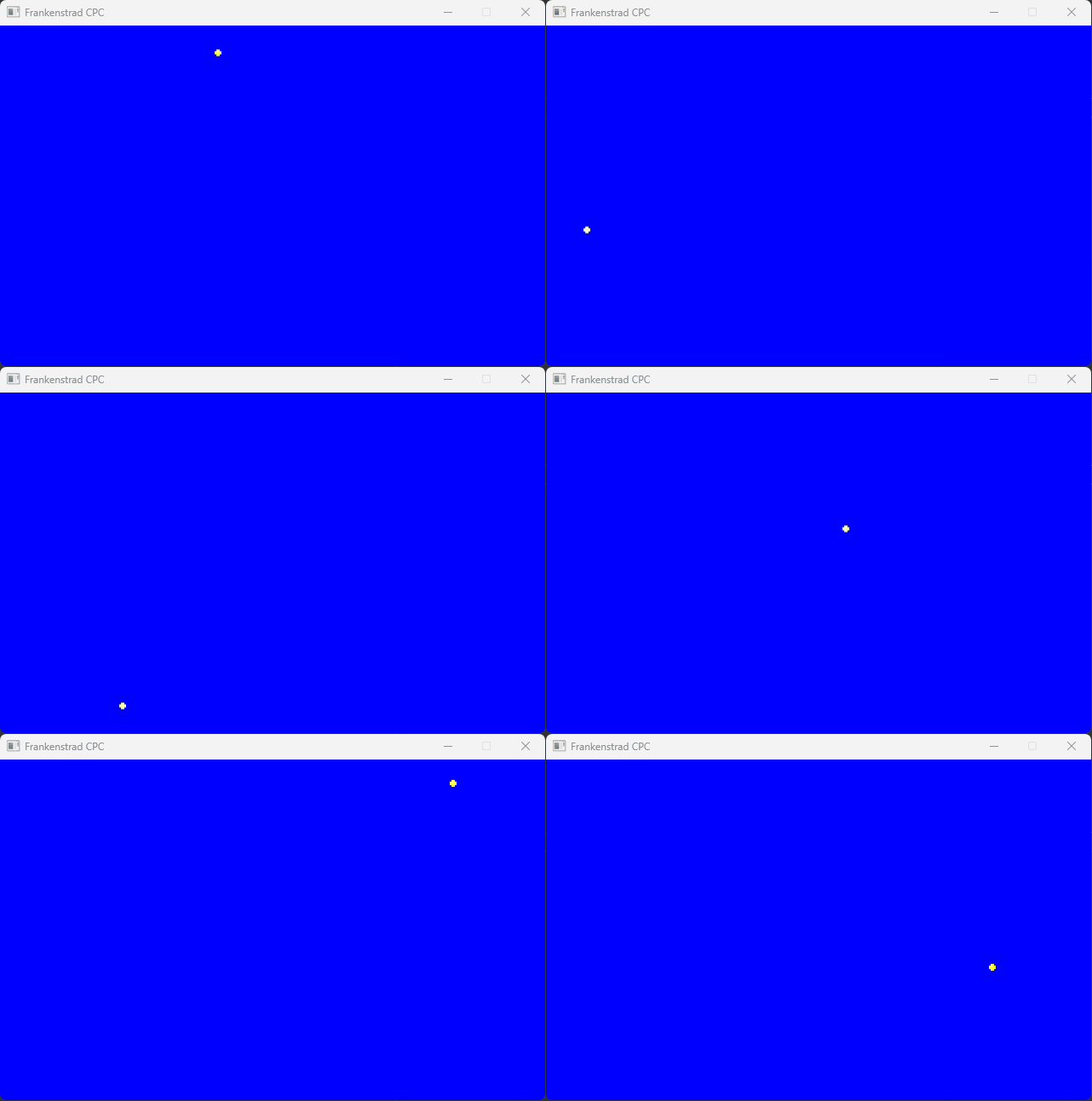
Feast your eyes on this little yellow ball animated and rendered by the ESP32, sent over to a PC and displayed on my monitor!